
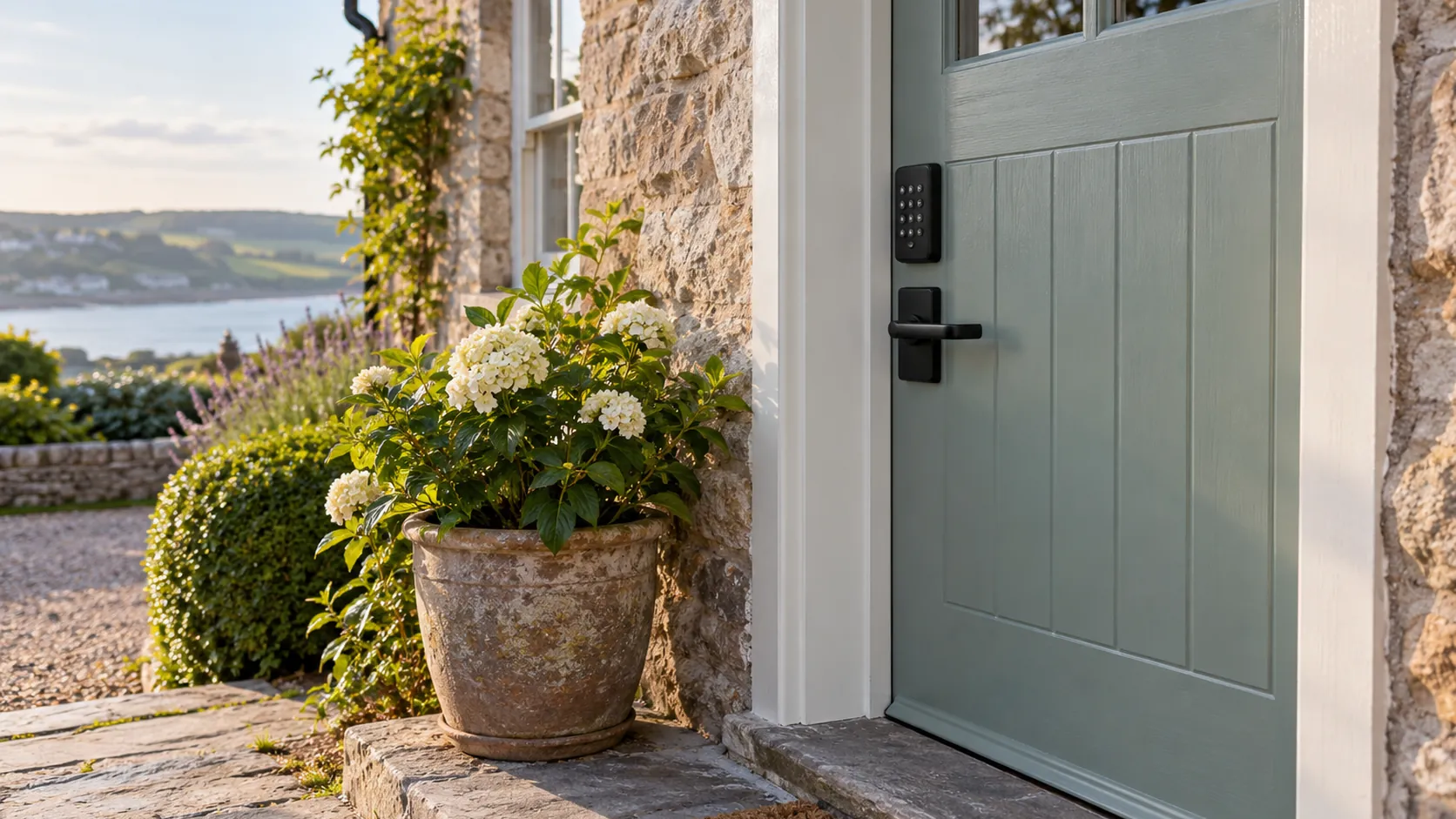
Most hosts choose between a holiday let smart lock and a key safe by comparing features, then find out at the door that what matters is what happens when something fails. A keypad with a flat battery, an app that won't load on one bar of signal, or a key that didn't go back in the box will stop a guest getting in at nine at night, whatever else the lock does well. Below is how each option works for self check-in, what goes wrong with each one, and how to set up a backup way in that doesn't depend on you answering the phone.
What each option does at the door
There are four common ways to let guests in when you're not there to meet them, and most hosts use one of them with a second as a backup.
A key safe, sometimes called a lockbox, is a small locked box fixed to the wall near the door, opened with a code, with the property key inside. It needs no power, no signal and no app. The guest opens the box, takes the key, and lets themselves in with the door's normal lock. The weak point is the key itself: it can be lost, left inside, taken home by mistake or copied.
A keypad smart lock replaces or sits over the door's existing lock and opens when a guest types a code on the door. Many keypad locks also connect to an app, so you can set a code for each booking from your phone and see when the door was opened. It runs on batteries, and many models have some way to get in when those run flat, which you need to know before you rely on it.
An app-only smart lock opens from the guest's phone over Bluetooth or the internet, with no keypad on the door. It looks tidy and keeps a full record of who opened the door, but every arrival depends on the guest's phone, the app and, for some models, a working signal at the door.
A local keyholder or meet and greet means someone you trust hands over the keys in person. It costs more in time or money, but it suits properties where signal is poor, guests arrive with questions, or the door can't take a smart lock.
The four options side by side
The right choice depends less on the lock and more on the property: how good the signal is at the door, how often you change guests, and who else needs to get in.
| Option | Works without signal or power | A different code for each guest | What usually goes wrong |
|---|---|---|---|
| Key safe | Yes, fully mechanical | Only if you change it between stays | Key lost, kept or left inside the property |
| Keypad smart lock | Yes for the keypad, as long as the batteries last | Yes, set from the app or the lock | Flat batteries, or a code typed with the wrong timing |
| App-only smart lock | Depends on the model and the guest's phone | Yes, sent as a digital key | Poor signal, a dead phone or an app that won't install |
| Local keyholder | Yes | Not needed | The keyholder is delayed or unavailable |
For most self-managed holiday lets, a keypad smart lock with a key safe as the backup covers the most problems. The keypad gives each guest their own code and lets you change it from wherever you are, and the key safe still works when the lock or the signal doesn't.
Where self check-in goes wrong
Lock problems rarely come from the lock being faulty. They come from the gap between how the lock works and what the guest expects when they arrive.
Batteries are the most common cause. A smart lock usually warns you through the app when its batteries are low, but only if it's connected and you're watching the notifications. Guests often arrive after a long drive, sometimes in the dark, and a lock that worked for the last guest can fail on the next one if no one checked it at the changeover.
Signal is the next. A property in a valley, a stone cottage with thick walls or a door on the far side of the building from the router can leave an app-only lock unable to connect. Keypad locks avoid most of this, because the code is checked by the lock itself rather than over the internet.
Then there's the code itself. Guests mistype codes, enter them too slowly, forget to press the confirm key, or try the code from a previous booking that's still saved in their messages. A clear access message, sent at the right moment, prevents most of these, and the holiday let check-in message sequence sets out when each piece of access detail goes to the guest.
Key safes fail in their own ways. The dial can stiffen in cold or wet weather, the cover can stick, and the key isn't always put back. When a key goes missing, every future guest is let in with a copy, and you don't know who has the original.
Batteries, signal and a second way in
Every smart lock needs a plan for the day it won't open. Find out before you buy how your lock behaves when its batteries run low, what it does when they're completely flat, and whether it still has a physical key cylinder or an emergency power contact on the outside.
Put the battery check on your changeover list, not your calendar. Whoever does the changeover can test the code, look at the battery level in the app or on the lock, and replace the batteries if they're low. Keep a spare set of the right size in the property, somewhere you'd find them in the dark. On a same-day changeover it's an easy check to skip, so give it a fixed place in the order of jobs, as planning your holiday let changeover time explains.
Test the signal where the guest will stand, not where you're standing when you fit the lock. Try the app on a phone from a different network, with Wi-Fi turned off, at the front door. If it struggles, choose a keypad lock rather than an app-only one, or make sure the backup works without any signal at all.
Decide what the second way in is and write it down. For most hosts it's a key safe, fitted somewhere out of sight from the road, with a key that opens the door on its own. For others it's a neighbour or local contact who holds a spare. Whichever it is, the guest should be told about it only if they need it, and the backup code should be different from anything they've been sent before.
Codes for each guest and for whoever does the changeover
A code for each booking is the main reason to choose a smart lock over a key safe. When each guest has their own code, it works only for their stay, a previous guest can't come back, and you don't have to change anything when a booking is cancelled.
Most smart locks that connect to an app let you create codes that start and stop at set times. Set each guest's code to start at check-in time and end soon after checkout. If you've agreed an early drop-off for a booking, move that guest's start time rather than giving them an open code. Some booking and messaging tools can create these codes automatically for each reservation, which saves you doing it by hand and removes the chance of sending the wrong one.
Give whoever does the changeover their own code too, along with any trades or helpers who visit regularly. Separate codes mean the lock's history shows who came in and when, which settles questions about whether a changeover started on time or a contractor turned up. If someone stops working for you, you delete their code and nothing else changes. Bringing in help for your holiday let without losing control covers how to give helpers access in stages.
A key safe can't do any of this. The code is the same for everyone until you change it, so if a key safe is your main way in, change the code between bookings and never reuse an old one.
Key safes: where to fit one and when to change the code
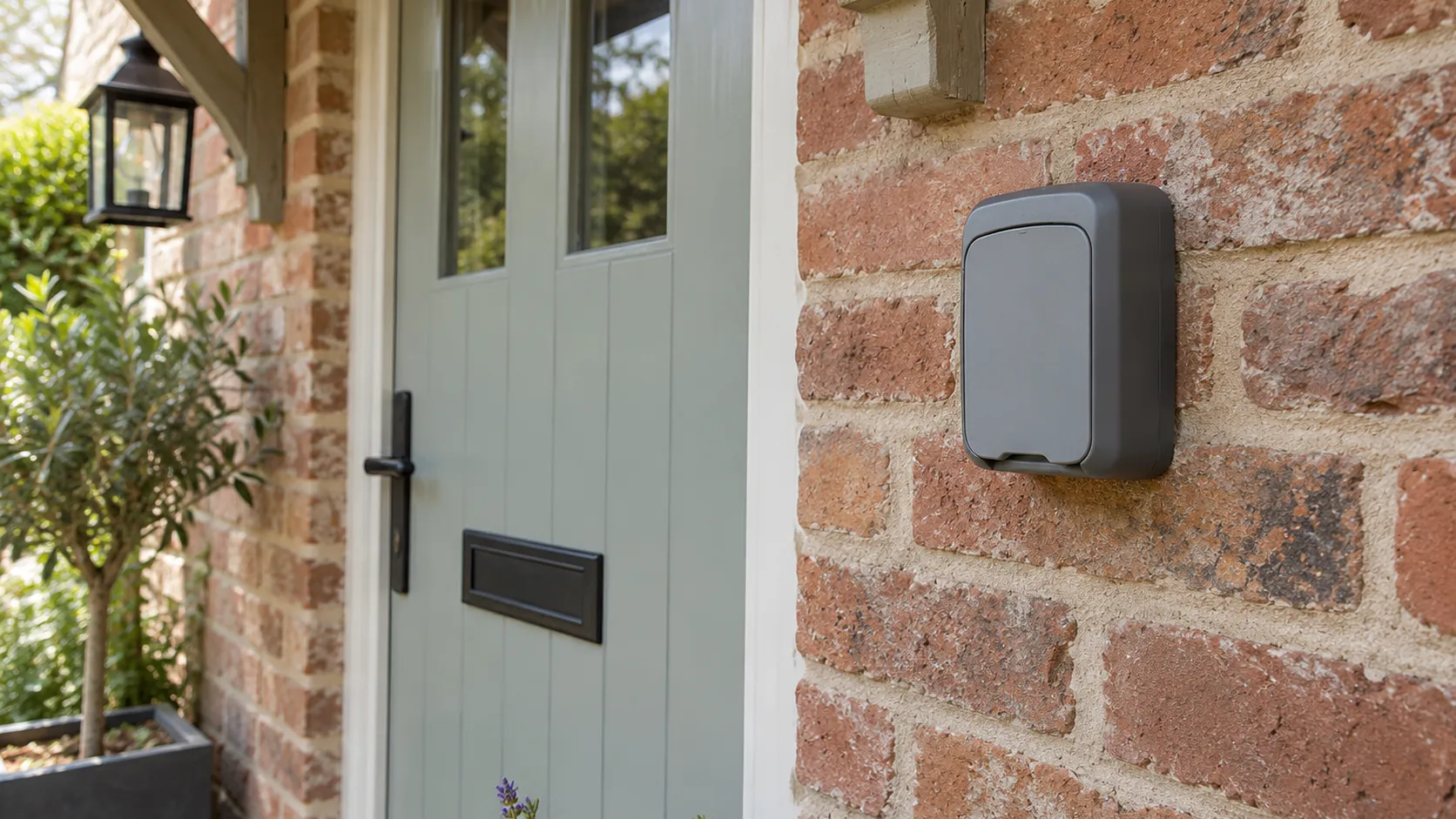
Fit a holiday let key safe where guests can find it in the dark but people passing can't see it from the road: beside the door, under a porch, or around the side of the building. A porch light or a sensor light nearby helps more than a torch on a phone. Fix it into brick or stone rather than render or timber, so it can't be prised off the wall.
Choose one with a cover over the dial or buttons. The cover keeps rain and frost out of the mechanism and stops people watching the code being entered. If your winters are hard, check it opens freely before each arrival, and keep a little lock lubricant in the property for the day it stiffens.
Change the code between stays whenever you can. If you can't, change it at least after any stay where the key wasn't returned properly, after a helper leaves, and whenever you're not sure who knows it. Keep a record of the codes you've used so you never send an old one by mistake.
Keep only one key in the box, and give it a plain fob with no address on it. If the key goes missing, change the lock rather than relying on the guest who lost it to return it.
Fitting a lock to the door you have
Not every smart lock fits every door. Before you buy, look at what's on your door now, because that decides which locks will fit and whether you'll need a locksmith.
Many uPVC and composite doors have a multipoint lock, worked by lifting the handle before turning the key. Smart locks made for these doors usually replace the cylinder or fit over the inside thumb turn, and the guest still has to lift the handle to lock it. Wooden doors with a mortice lock or a night latch take different models. Measure the door thickness and the cylinder before you order, and check the maker's fitting guide for your exact lock type.
Think about the guest who has never used your door before. A lock that needs a code, then a handle lift, then a turn of the thumb turn is three steps they won't guess. Write those steps in the access message in the order they happen, and test them on someone who has never been to the property.
If you're unsure, pay a locksmith to fit it. A badly fitted smart lock that jams or won't lock from the outside causes more problems than the lock you replaced, and it may not meet the security conditions in your insurance.
Getting out from the inside
Whatever lock you choose, guests have to be able to leave quickly in an emergency. In England, the government guide to fire safety in small paying guest accommodation says exit doors must not need a key to unlock them from the inside, and that a simple latch or thumb turn is usually good enough.
Check this on the inside of the door after any lock is fitted. Some smart locks keep a key cylinder on the inside, and some multipoint doors need a key to unlock from inside unless they have a thumb turn. If yours does, change the cylinder or the lock so the door opens from the inside by hand. The same applies to back doors and any other door on an escape route.
Your fire risk assessment should cover your exit doors, and it's worth reviewing it whenever you change a lock. Fire safety for holiday lets explains what being the responsible person means and how to carry out the assessment yourself.
Your insurance and a new lock
Before you change the lock, read the security section of your insurance policy. Some policies set conditions about the locks on external doors, and a claim after a break-in could depend on whether the lock you fitted meets them.
Ask your insurer directly whether the lock you're planning to fit meets their conditions, and whether a key safe is acceptable for your property. Keep their answer in writing with your policy documents. If you switch to a specialist holiday let policy, ask the same question again, because the conditions differ between insurers. Insurance for self-managed holiday lets covers what else to check in the policy wording.
Telling guests how the door works
The best lock still fails if the guest doesn't know how to use it. Send the access details close to arrival, with the code first, then each step at the door in the order it happens, then a number to call if it doesn't work.
Describe the lock in the words a guest would use. "Press the keypad to wake it, type the code, then press the tick" is easier to follow standing at a door than the name of the lock. If the door needs a handle lift to lock it, say so in the checkout instructions as well, because guests who can't lock the door often leave it unlocked.
Some guests will find the door harder than you did when you tested it. Older guests, anyone with poor eyesight and anyone arriving with heavy bags or tired children will struggle more with a small keypad in the dark. A keypad that lights up when touched, with buttons you can feel, is easier than a smooth touch panel. If a guest mentions they may find the door difficult, offer to send the steps as a short video or to call them as they arrive. A video filmed at your own door often does more than a paragraph of written steps.
Tell guests what to do if the code doesn't work, before they need to know. A single line such as "If the keypad doesn't respond, call me and I'll talk you through the backup" stops a guest trying the same code again and again while you have no idea there's a problem.
When a guest is stuck outside
Even with a good lock and clear instructions, a guest will occasionally be stuck outside. Answer the call or message straight away, ask exactly what the lock is doing, and decide quickly whether to talk them through it, send the backup code, or send someone round.
Most problems are solved in a few minutes on the phone: a code typed too slowly, the wrong booking's code, or the handle not lifted. If the lock itself has failed, give the guest the backup way in and arrange a repair before the next arrival. What to do when a holiday let guest reports a fault mid-stay covers how to triage the problem and keep the guest informed while you sort it.
Afterwards, write down what happened and what fixed it. If the same thing happens twice, it's a problem with the lock, the instructions or the backup, and it's worth changing whichever one it was before the next booking.
Trying the door as a stranger would
Before your next booking, stand at the front door with only the access message on your phone, as a guest would. Use the code, follow each step, and lock the door behind you. Then try it again in the dark, with mobile data turned off, and with the backup instead of the main lock.
If any step makes you hesitate, change it. Swap an app-only lock for a keypad if the signal is poor, add a key safe if you have no backup, and rewrite the access message if a step isn't obvious. A lock that works for you on a bright afternoon isn't tested until it has worked for a stranger arriving late.